


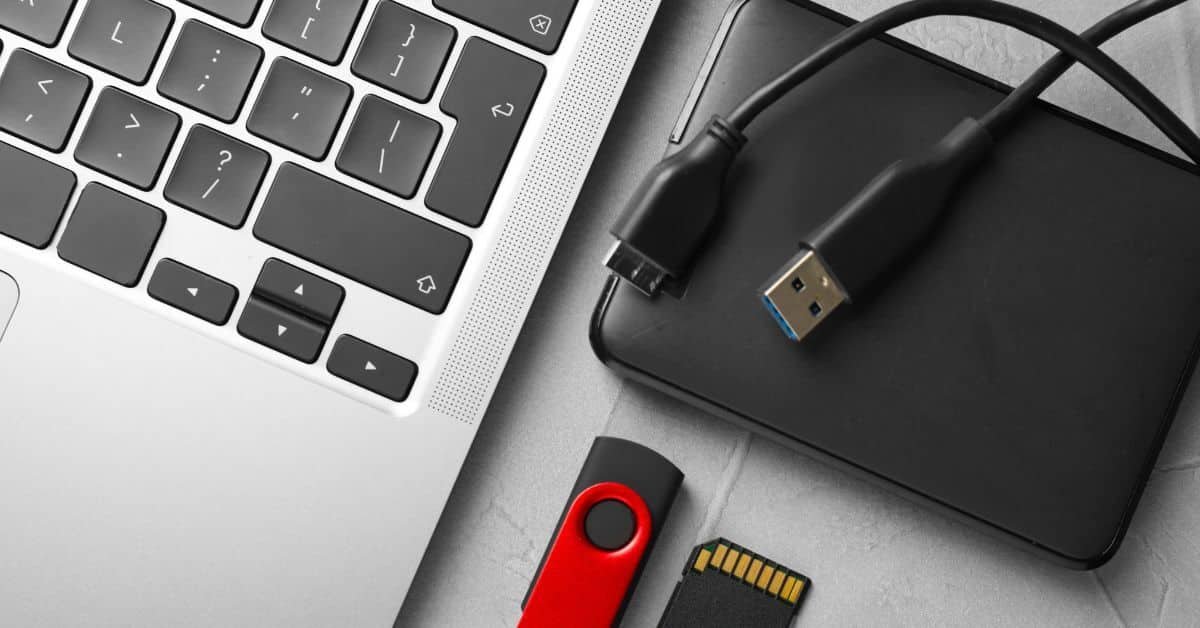
Sometimes, you need to transfer data externally out of a computer or local system and onto external storage.
The last thing you want is for the physical media to fail or for important files to get lost along the way. When you need to transfer data externally, you have two things to think about: which type of external storage fits the job and how you’ll protect the data during the move. Here are the main options you can use and a few tips to keep the transfer on track.
Different Methods to Transfer Data Externally
The method you use depends on where the files need to go and how much data you need to move. Some options are better for short-term transport, while others are designed for larger transfers or longer storage.
External SSDs Handle Large Local Transfers
An external solid-state drive is a good option when you need to move a large amount of data between systems in the same location. SSDs have no moving internal parts, so they tolerate ordinary transport better than traditional hard drives.
Speed is another reason to use one for large file sets. A modern SSD can move a sizable folder without forcing you to wait through the slower transfer rates associated with older storage media. Check the drive capacity first so the data has enough room.
External Hard Drives Offer More Storage for the Price
A traditional external hard drive gives you a large amount of storage without the higher price attached to many SSDs. That makes it suitable for large local archives or backups where top transfer speed isn’t the priority.
The internal disk does require more care during transport. A hard impact can damage the mechanism, particularly while the drive has power. Disconnect it before transport and use a protective case if the drive needs to move between offices or other locations.
USB Flash Drives Suit Smaller File Sets
A USB flash drive makes sense for a smaller set of files that needs to move between nearby devices. Its compact size makes it easy to carry without extra equipment.
But that small format creates one obvious risk: the drive is easy to lose. Sensitive files should have encryption before they leave the original device. Give the drive a fixed storage spot between transfers as well. A tiny device becomes much harder to track once it disappears into a drawer or laptop bag.
Data Tape Supports Large Offline Archives
Data tapes are a common option for large amounts of information that need offline storage. These are physical cartridges that record data magnetically and support long-term archival use. It’s important to protect data tapes from physical damage; their physical format leaves them vulnerable to impact and poor storage conditions. The best way to reduce that risk is to keep each cartridge protected during transport and while it sits in storage.
Tips for Secure Data Transfer Externally
Once data leaves its original system on physical media, the storage device becomes part of the transfer. How you handle that device affects whether the files reach the destination intact. A few precautions can reduce damage during transport and storage.
Use a Protective Case During Transport
External drives and other portable media shouldn’t travel loose in a bag or box. A protective case reduces the impact from drops or bumps during transport.
The case should fit the device closely enough that it doesn’t slide around inside. For media such as data tape, individual protection also keeps cartridges from rubbing against other equipment while they’re moved.
Keep External Media Away From Extreme Temperatures
Physical storage media can suffer when it sits in excessive heat or cold. A device left in a parked vehicle, for example, may face temperatures far outside what the manufacturer recommends.
If the media has been exposed to extreme conditions, let it return to a normal indoor temperature before you connect it. That gives any condensation from the temperature change time to dissipate before power reaches the device.
Protect Media From Moisture
Water exposure can damage external drives and other physical storage. Even high humidity can cause problems over time when media sits in poor storage conditions.
Keep external storage in a dry area during transport and after it reaches the destination. If the device gets wet, don’t connect it to a computer just to see whether it still works. Power can make existing damage worse.
Label Each Device Clearly
When several external drives or cartridges look alike, labels make it easier to keep the correct data with the correct device. A simple identifier can prevent someone from grabbing the wrong drive or overwriting media that still contains needed files.
Avoid putting sensitive details on the outside. The label only needs enough information for authorized users to identify the media through their own records.
Keep Track of Who Has the Media
Physical storage can leave your control much more easily than data that remains on one system. If the device moves between people or locations, record who has it and where it is going.
This is particularly important for sensitive information. A basic handoff record gives you a way to trace the media if it doesn’t arrive where expected.
Disconnect External Drives Before Moving Them
A hard drive is more vulnerable while its internal components are active. Don’t pick up the drive and carry it to another location while it is still connected and running.
Finish the transfer first, then use the computer’s eject function before disconnecting the cable. After the device has powered down, place it in its protective case before transport.
Store External Media in a Designated Location
External media is easier to lose when it gets left wherever the last transfer happened. Give each drive or cartridge a designated storage location so people know where it belongs between uses.
That location should match the type of media you’re storing. Keep drives off the floor and away from areas where they may get bumped, buried under other equipment, or mistaken for unused hardware.
Move the Data With Care
External storage gives you a physical way to move important files from one system to another, but the device itself needs just as much care as the data on it. Choose media that matches the amount of information you need to move, protect it during transport, and keep it stored properly afterward. With the right setup, you can transfer data externally without adding unnecessary risk to the move.
Explore similar articles:
The Materials Behind Next-Generation Aircraft Systems
Human-in-the-Loop Is Not Enough: Where Is the Human Authority Line in AI-Supported Decisions?
How High-Altitude Flight Affects Electrical Systems

At CIO TechWorld, I architect global revenue strategy, cultivate enterprise alliances, and engage directly with CXO leaders shaping the future of technology.
Operating at the convergence of editorial intelligence, commercial strategy, and executive influence, I specialize in transforming complex business objectives into authoritative market presence.